

Sore eyes, headaches, and fuzzy vision often become familiar for Australian professionals once the workday stretches beyond six hours at the computer. These ongoing discomforts are part of what experts refer to as digital eye strain, a condition driven by sustained screen time and demanding visual tasks. Understanding why eyes react this way empowers you to make smart choices for comfort, eye health, and even style with modern eyewear options.
Table of Contents
- Eye Strain From Computers Explained
- Common Symptoms And Risk Factors
- Types Of Digital Eye Strain And Causes
- Effective Workspace Adjustments And Habits
- Eyewear Options For Screen Protection
- Mistakes To Avoid And When To Seek Help
Key Takeaways
| Point | Details |
|---|---|
| Digital Eye Strain Symptoms | Common symptoms include blurry vision, headaches, and dry eyes, which intensify with extended screen time. |
| Workspace Ergonomics | Optimal screen positioning and lighting adjustments are crucial for reducing visual discomfort and fatigue. |
| Effective Breaks | Implement the 20-20-20 rule to give your eyes regular breaks from screen focus, promoting recovery and comfort. |
| Professional Assessment | Seek professional help if experiencing persistent symptoms like blurred vision or frequent headaches, as these may signal underlying issues. |
Eye strain from computers explained
In the digital age, computer eye strain has become an increasingly common issue for Australian professionals spending long hours in front of screens. Modern work environments demand extended computer usage, which can trigger a range of uncomfortable visual symptoms known as digital eye strain or computer vision syndrome.
Digital eye strain emerges from prolonged screen exposure and involves several key physiological responses. When focusing on digital displays, our eyes must constantly adjust and refocus, leading to muscle fatigue in the eye’s focusing system. Key symptoms experienced by many professionals include:
- Blurry vision
- Dry or irritated eyes
- Headaches
- Neck and shoulder discomfort
- Reduced visual clarity
Research from the Australian Optometric Association reveals that these symptoms occur due to specific screen-related challenges. Less frequent blinking, improper screen positioning, and prolonged focus contribute significantly to eye muscle strain. Understanding computer eye strain solutions can help mitigate these challenges and protect visual health.
Understanding the underlying mechanisms helps professionals develop effective prevention strategies. The human eye isn’t naturally designed for prolonged digital screen interaction, which creates unique physiological stress. Screens emit blue light and require constant micro-adjustments, causing eye muscles to work harder than during traditional reading or viewing activities.
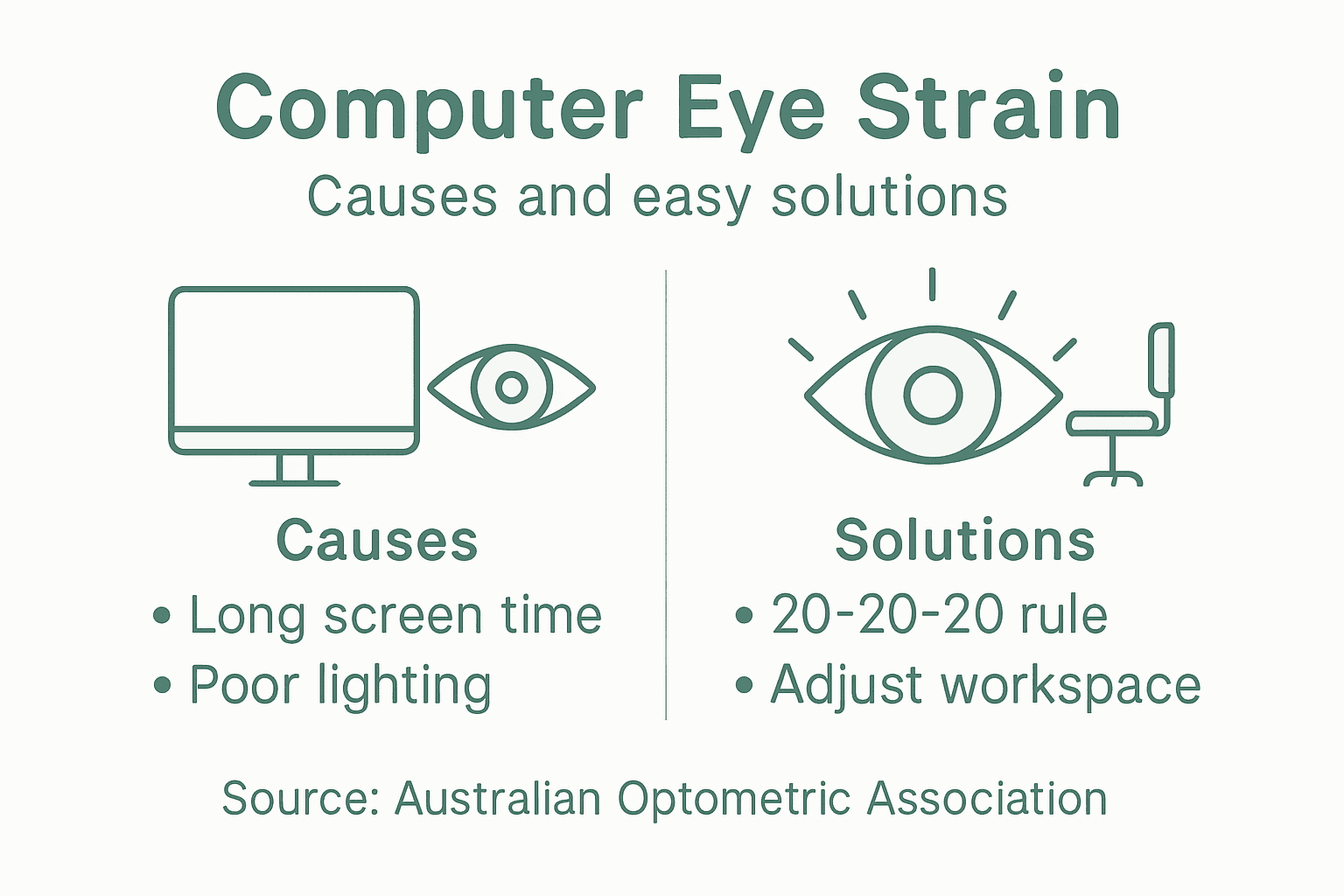
Screen Distance and Positioning Matter
Optimal screen positioning plays a crucial role in reducing eye strain. Experts recommend:
- Positioning screens slightly below eye level
- Maintaining approximately 50-70 centimetres distance from eyes
- Adjusting screen brightness to match ambient lighting
- Using anti-glare settings or screen protectors
Digital eye strain doesn’t cause permanent damage, but persistent symptoms require professional assessment and management.
Pro tip: Implement the 20-20-20 rule: Every 20 minutes, look at something 20 feet away for 20 seconds to give your eye muscles a brief recovery period.
Common symptoms and risk factors
Computer vision syndrome presents a complex array of symptoms that impact Australian professionals’ daily work experience. While many people dismiss these signs as minor inconveniences, understanding the full spectrum of digital eye strain symptoms can help individuals take proactive measures to protect their visual health.
The primary symptoms experienced by professionals include:
- Blurred or fuzzy vision
- Persistent eye discomfort
- Recurring headaches
- Neck and shoulder tension
- Increased light sensitivity
- Difficulty focusing on screen content
- Burning or stinging sensations in eyes
Research indicates that these symptoms intensify with prolonged screen exposure. Understanding computer eye strain solutions can provide targeted strategies for managing these challenges.
Several critical risk factors contribute to the development and severity of computer vision syndrome. Screen time duration plays a significant role, with professionals experiencing more pronounced symptoms when continuously working for extended periods. Underlying visual conditions such as uncorrected vision problems, astigmatism, or presbyopia can dramatically amplify these challenges.
Key Risk Factors to Consider
The most significant contributors to digital eye strain include:
- Prolonged continuous computer usage (over two hours daily)
- Improper screen positioning and ergonomics
- Inadequate workplace lighting
- Uncorrected vision problems
- Poor screen brightness and contrast settings
Not all eye strain symptoms are created equal - individual experiences can vary significantly based on personal visual health and work environment.
Pro tip: Conduct a comprehensive eye examination annually to identify and address potential vision correction needs that might exacerbate digital eye strain.
Types of digital eye strain and causes
Digital eye strain represents a complex, multifaceted condition that affects Australian professionals navigating increasingly digital workplaces. Understanding the nuanced types and underlying causes helps individuals develop targeted strategies for visual health and comfort.
The primary types of digital eye strain manifest in several distinct categories:
- Refractive errors
- Binocular vision disorders
- Accommodation challenges
- Dry eye syndrome
- Musculoskeletal discomfort
Computer glasses can significantly mitigate these different strain types by addressing specific visual challenges encountered during prolonged screen interactions.
Environmental and Physiological Causes
Multiple factors contribute to the development of digital eye strain. Screen-related visual demands create unique physiological challenges, with prolonged close-up focusing dramatically impacting eye muscle function. Key environmental triggers include inadequate lighting, screen glare, inappropriate viewing distances, and suboptimal screen brightness and contrast settings.
Underlying visual conditions dramatically amplify strain symptoms. Professionals with uncorrected vision problems such as astigmatism, presbyopia, or existing binocular vision disorders experience more pronounced digital eye strain. The human visual system struggles to maintain consistent focus during extended digital interactions, leading to muscular fatigue and perceptual discomfort.
Strain Mechanism Breakdown
The primary mechanisms driving digital eye strain involve:
Here’s a clear comparison of digital eye strain types and their typical workplace impact for Australian professionals:
| Eye Strain Type | Common Cause | Workplace Impact |
|---|---|---|
| Refractive errors | Uncorrected vision | Reduced screen clarity |
| Binocular vision issues | Eyes not working together | Difficulty tracking content |
| Accommodation challenges | Sustained focus demands | Fatigue, slow task completion |
| Dry eye syndrome | Low blinking rates | Discomfort, loss of focus |
| Musculoskeletal discomfort | Poor posture or setup | Tension, productivity drop |
- Reduced blinking rates during screen use
- Constant micro-muscular adjustments
- Unnatural viewing angles
- Cumulative visual stress
- Neurological processing demands
Digital eye strain is not a singular condition but a complex interaction between visual physiology, environmental factors, and technological interfaces.
Pro tip: Regularly calibrate your screen settings and workspace ergonomics to minimise visual strain and create a more eye-friendly digital environment.
Effective workspace adjustments and habits
Workspace ergonomics play a crucial role in mitigating digital eye strain for Australian professionals spending extended hours in front of computer screens. Creating an eye-friendly environment involves strategic adjustments that minimise visual stress and promote long-term eye health.
Key workspace modifications to reduce eye strain include:
- Optimal screen positioning
- Appropriate lighting control
- Regular visual breaks
- Ergonomic desk setup
- Consistent eye hydration strategies
Computer glasses can complement these workspace adjustments by providing additional visual support during extended screen time.
Screen Positioning and Lighting
Precise screen placement is fundamental to reducing eye strain. Experts recommend positioning monitors approximately an arm’s length away and slightly below eye level to minimise muscular tension. Reducing screen glare by avoiding direct light sources and using matte screen filters can significantly decrease visual discomfort.

Workplace lighting requires careful management to support eye health. Natural or diffused lighting works best, with overhead lights adjusted to prevent harsh reflections on computer screens. Soft, indirect illumination reduces the contrast between screen brightness and surrounding environment, helping eyes maintain more comfortable focus.
Practical Strain Reduction Strategies
Implement these evidence-based techniques to protect your visual health:
- Follow the 20-20-20 rule precisely
- Adjust screen brightness matching ambient light
- Use artificial tears for eye lubrication
- Maintain proper sitting posture
- Clean screens regularly to reduce glare
Small, consistent workspace adjustments can dramatically reduce the cumulative impact of digital eye strain.
Pro tip: Invest in an adjustable monitor stand and consider blue light filtering technologies to create a more eye-friendly digital workspace.
Eyewear options for screen protection
Computer eyewear has emerged as a sophisticated solution for Australian professionals battling digital eye strain. Understanding the nuanced landscape of protective eyewear requires careful consideration of scientific evidence and practical functionality.
Key eyewear categories for screen protection include:
- Prescription computer glasses
- Intermediate distance lenses
- Anti-reflective coatings
- Specialised lens designs
- Ergonomic frame configurations
Exploring specialised computer glasses can provide targeted solutions for digital workplace challenges.
Scientific Perspective on Protective Eyewear
Contrary to popular marketing claims, scientific research suggests significant nuance in eyewear protection. The Australian optometric community emphasises that blue light blocking glasses do not prevent eye damage, but prescription computer glasses optimised for intermediate screen distances can significantly reduce visual strain.
Professionals seeking effective eye protection should prioritise glasses specifically designed for screen viewing distances. These specialised lenses reduce focusing effort by matching the typical computer screen range, minimising muscular tension and visual fatigue. Custom lens configurations that account for individual vision requirements offer the most personalised protection against digital eye strain.
Lens Technology Considerations
Evaluate eyewear options based on these critical factors:
This table summarises key screen protection eyewear features and how each benefits digital workers:
| Eyewear Feature | How It Works | Professional Benefit |
|---|---|---|
| Intermediate lenses | Focus for screen distance | Minimises muscle effort |
| Anti-reflective coating | Reduces glare | Enhances visual comfort |
| Blue light filtering | Filters short wavelength light | May reduce mild fatigue |
| Custom prescription | Matches individual vision | Maintains optimal screen clarity |
| Ergonomic frames | Comfortable fit | Supports extended wear at work |
- Precise intermediate distance correction
- Anti-reflective lens coatings
- Potential blue light filtering capabilities
- Individual prescription requirements
- Ergonomic frame comfort
Not all computer glasses are created equal - professional assessment remains crucial for targeted eye protection.
Pro tip: Consult an optometrist for a personalised computer glasses prescription tailored to your specific workplace visual demands.
Mistakes to avoid and when to seek help
Digital eye strain management requires careful navigation of potential pitfalls that can exacerbate visual discomfort. Australian professionals must understand the critical mistakes that could compromise their eye health and recognise when professional intervention becomes necessary.
Common mistakes that significantly worsen eye strain include:
- Ignoring persistent symptoms
- Improper screen positioning
- Using incorrect vision prescriptions
- Overusing eye drops with redness reducers
- Neglecting regular eye breaks
- Working in poor lighting conditions
Identifying computer eye strain solutions can help professionals prevent long-term visual complications.
Warning Signs and Professional Intervention
Recognising when to seek professional help is crucial for preventing potential long-term visual damage. Persistent symptoms such as frequent headaches, blurred vision, or consistent eye discomfort signal the need for comprehensive optometric assessment. Many Australian professionals mistakenly believe these symptoms will resolve independently, potentially risking more serious underlying conditions.
Ergonomic adjustments and self-management strategies have limitations. When environmental modifications and personal interventions fail to alleviate symptoms, professional consultation becomes essential. Optometrists can conduct thorough examinations to identify potential vision disorders, prescription inaccuracies, or underlying health conditions contributing to eye strain.
Critical Scenarios Requiring Professional Assessment
Immediate professional intervention is recommended when experiencing:
- Consistent vision blurriness
- Frequent, severe headaches
- Persistent eye pain or discomfort
- Significant changes in visual clarity
- Reduced work productivity due to eye strain
Self-diagnosis and prolonged self-management can potentially mask serious visual health issues.
Pro tip: Maintain a symptom diary documenting eye strain experiences to provide precise information during professional eye health consultations.
Protect Your Eyes from Computer Strain with Smart Eyewear Solutions
Spending long hours in front of computer screens can lead to uncomfortable symptoms like blurry vision and persistent headaches as explained in the article. The key challenge is managing digital eye strain caused by prolonged screen exposure and improper workspace setup. You deserve clearer, more comfortable vision without the constant fatigue that hampers your productivity. That’s where the right eyewear can make all the difference.

Explore our collection of specially designed Rectangular Reading Glasses that support your eyes during extensive screen time. Along with expert-approved screen positioning tips, these glasses help reduce muscle fatigue and improve visual clarity. Don’t wait until symptoms worsen. Visit Ministry of Sight today and take advantage of our current Summer Sale to find stylish, functional glasses crafted for Australian professionals like you. Give your eyes the care they deserve and boost your digital comfort now.
Frequently Asked Questions
What are the common symptoms of digital eye strain?
Common symptoms of digital eye strain include blurry vision, dry or irritated eyes, headaches, neck and shoulder discomfort, and reduced visual clarity.
How can I reduce eye strain while working on a computer?
To reduce eye strain, position your screen slightly below eye level, maintain a distance of 50-70 centimetres from your eyes, adjust screen brightness, and implement the 20-20-20 rule by looking at something 20 feet away for 20 seconds every 20 minutes.
What types of eyewear can help with computer-induced eye strain?
Eyewear options that can help reduce computer-induced eye strain include prescription computer glasses, intermediate distance lenses, and glasses with anti-reflective coatings designed specifically for screen use.
When should I seek professional help for eye strain?
You should seek professional help if you experience persistent symptoms such as frequent headaches, ongoing blurry vision, significant eye discomfort, or reduced productivity due to eye strain, as these may indicate underlying visual issues.
Recommended
- What Glasses Help with Computer Eye Strain – ministry of sight
- What Glasses Help With Eye Strain – Solutions for Aussies – ministry of sight
- Reading Glasses for Computer Work: Digital Comfort – ministry of sight
- What Glasses Are Good for Computer Use: Blue Light, Comfort, and Style – ministry of sight
If you spend several hours a day working at a screen, read our complete guide to choosing reading glasses for computer use to learn about lens strength, viewing distance, anti-glare lenses and frame comfort.


