
You have probably heard that blue light from your screen is damaging your eyes. But here is the truth: blue light from screens does not cause permanent eye damage. Computer glasses offer real benefits, just not the ones most people expect. They help reduce eye fatigue and improve comfort through smart optical design, not magic blue light blocking. Let us explore what computer glasses actually do and how they fit into a broader strategy for healthier screen habits.
Table of Contents
- Understanding Blue Light And Digital Eye Strain
- How Computer Glasses Work
- Efficacy Of Blue Light Blocking Glasses
- Benefits Beyond Blue Light Filtering
- Complementary Eye Care Practices
- Common Misconceptions About Computer Glasses
- Choosing Fashionable And Functional Computer Glasses In Australia
- Explore Stylish Computer Glasses At Ministry Of Sight
- Frequently Asked Questions
Key takeaways
| Point | Details |
|---|---|
| Blue light misconception | Blue light from screens creates visual noise but causes no permanent eye damage according to scientific reviews. |
| Computer glasses work optically | They optimise intermediate focal distance for screens at 20 to 26 inches, reducing focusing strain more than blue light filtering alone. |
| Limited blue light benefits | Studies show modest symptom reduction with proper prescription lenses, while blue light blocking alone offers minimal relief. |
| Behavioural habits matter most | The 20-20-20 rule reduces strain by up to 50%, making it essential alongside any glasses you choose. |
| Fashion meets function | Australian shoppers can find stylish computer glasses combining optical correction with blue light filters for complete comfort. |
Understanding blue light and digital eye strain
Computer screens emit blue light in the 400 to 495 nanometre range, which carries high energy and creates visual noise. This contributes to eye fatigue but does not damage your retina permanently. The real culprits behind digital eye strain causes are your screen habits and how you use your eyes during work.
Prolonged screen exposure reduces your blink rate by up to 60%, causing tear film instability and dry eyes. When you stare at a monitor, you blink less frequently, which means your eyes do not stay properly lubricated. This dryness is one of the primary contributors to computer eye strain symptoms.
Common symptoms include:
- Dry, irritated eyes that feel gritty or scratchy
- Persistent eye fatigue after just a few hours of screen time
- Headaches concentrated around the temples or forehead
- Blurred vision when shifting focus between screen and distance
- Neck and shoulder tension from poor posture
“The major contributors to digital eye strain are not blue light alone but rather screen use habits, reduced blinking, poor ergonomics, and sustained near focus.”
Understanding these root causes helps you realise that computer glasses address only part of the problem. Blue light filtering plays a minor role compared to optical correction and behavioural changes. Now that you understand the true causes of digital eye strain, let us explore how computer glasses address these through design and lens technology.
How computer glasses work
Computer glasses are designed to optimise your vision at intermediate distances, typically 20 to 26 inches, where most screens sit. Unlike reading glasses for close work or distance glasses for far viewing, these lenses reduce the focusing effort your eyes make during screen time. This computer glasses design targets the specific focal length you need most.
Blue light filter types vary significantly. Blue light filtering coatings block 20 to 70% of blue light depending on whether you choose clear, lightly tinted, or heavily tinted lenses. Clear lenses offer subtlety but less blocking power. Tinted lenses provide stronger filtering but alter colour perception slightly.
Anti-reflective coatings make a noticeable difference by reducing glare from overhead lights and screen reflections. This coating enhances visual clarity and comfort, especially in bright office environments. Combined with the right focal prescription, it delivers measurable relief from strain.

| Lens type | Blue light blocking | Visual clarity | Best for |
|---|---|---|---|
| Clear coating | 20 to 30% | Excellent colour accuracy | General office work, design tasks |
| Light tint | 40 to 50% | Slight yellow cast | Extended screen sessions |
| Heavy tint | 60 to 70% | Noticeable colour shift | Gaming, evening use |
Pro Tip: Measure your typical screen distance before ordering computer glasses. Sit naturally at your desk and measure from your eyes to the monitor centre. This ensures your optometrist prescribes the correct intermediate focal strength for maximum comfort.
The optical benefits of computer glasses stem from reducing accommodative demand. Your eye muscles work hard to maintain focus at intermediate distances for hours. Properly prescribed lenses ease this strain, which is why blue light glasses benefits extend beyond simple blue light blocking. With an understanding of how computer glasses function, let us assess scientific evidence of their actual effectiveness for eye strain.
Efficacy of blue light blocking glasses
Short-term studies reveal limited objective symptom reduction from blue light blocking lenses alone. Researchers find no consistent improvement in measurable eye strain markers when participants wear blue light filters without proper optical correction. However, users wearing computer glasses with intermediate focal prescriptions report subjective reduction in eye fatigue and headache frequency after prolonged computer use.
The difference between objective and subjective results matters. While clinical measurements show modest changes, users feel better with properly fitted lenses. This gap suggests that placebo effects and psychological factors contribute to perceived relief. When you believe your glasses help, you may also adopt better screen habits unconsciously.
Blue light glasses show lack of significant symptom reduction in short-term studies, and their effectiveness varies under bright lighting. In well-lit environments, ambient blue light overwhelms the filtered screen light, making the coating less impactful. This reality check helps you set realistic expectations about blue light glasses efficacy.
Key limitations of blue light blocking as a sole solution:
- Does not address reduced blink rate or dry eyes
- Ineffective in bright ambient lighting conditions
- Provides no benefit without correct focal prescription
- Placebo effect accounts for some reported improvements
- Does not replace ergonomic and behavioural adjustments
“Scientific evidence supports modest improvements in comfort with proper prescription lenses, but blue light filtering alone shows inconsistent benefits across studies.”
These findings do not mean computer glasses are useless. They simply clarify that optical correction and proper prescription matter far more than blue light filtering. Beyond blue light blocking, computer glasses offer other benefits that improve screen comfort, which we explore next.
Benefits beyond blue light filtering
Properly prescribed intermediate lenses reduce the focusing effort your eyes make during screen work. This eases accommodative eye strain, which occurs when your ciliary muscles tire from maintaining constant near focus. The optical correction is the primary benefit, not the blue light coating.
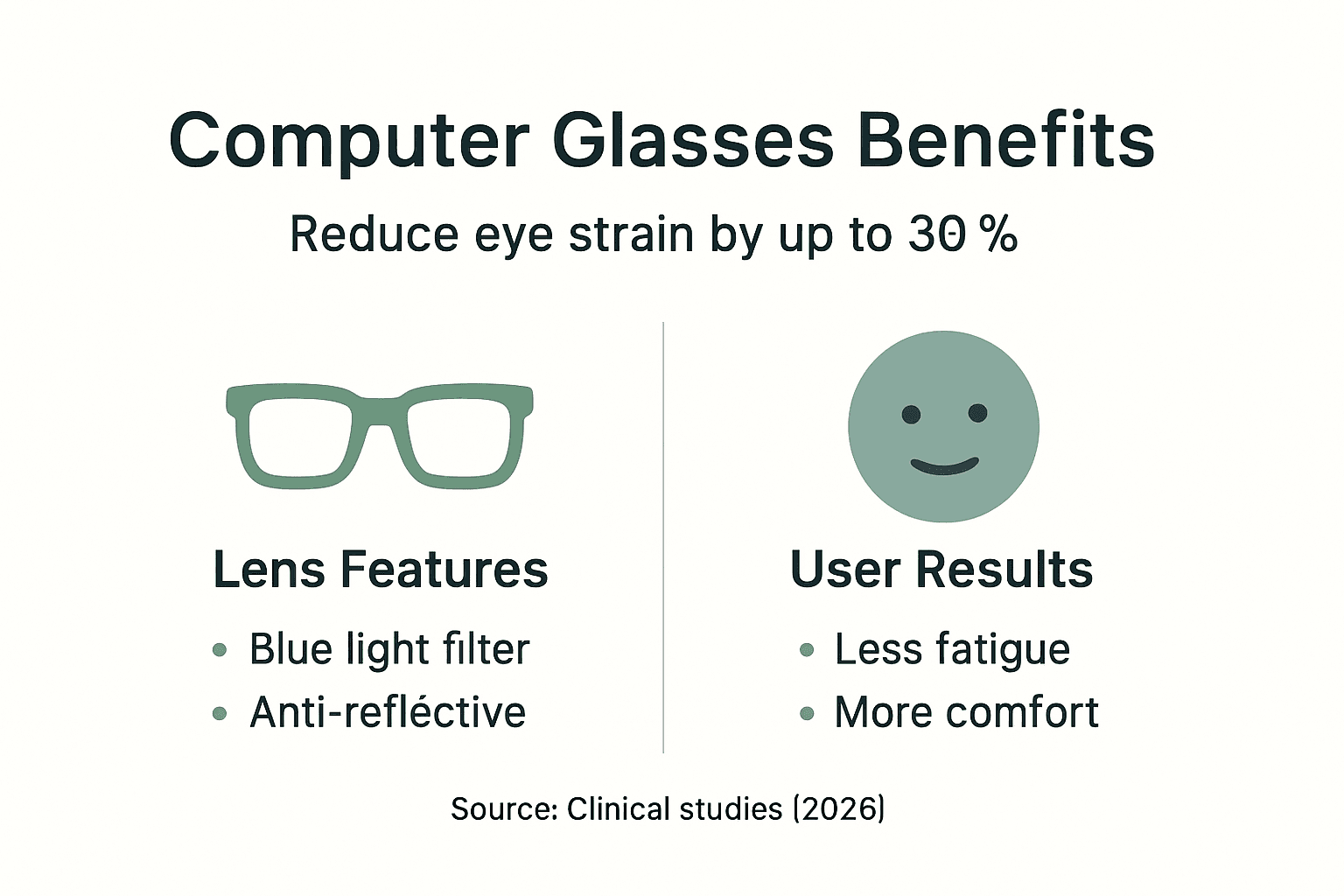
Users experience reduction in self-reported eye fatigue by up to 30% with proper prescription and improved comfort at intermediate distance. Headache frequency drops as well, particularly tension headaches caused by squinting or straining to see clearly. These improvements stem from correcting your vision for the specific working distance, not from blocking blue wavelengths.
Blue light filtering alone offers limited comfort improvements when compared to optical correction. A clear lens with the right prescription outperforms a heavily tinted lens with the wrong focal length every time. This is why consulting an optometrist who understands your screen setup matters.
Key benefits of properly prescribed computer glasses:
- Reduced eye muscle strain from sustained intermediate focus
- Less glare and reflection interference with anti-reflective coating
- Improved visual clarity at your typical screen distance
- Decreased frequency and severity of tension headaches
- Better posture as you no longer lean forward to see clearly
Pro Tip: When consulting your optometrist, specify your typical screen distance and mention whether you use multiple monitors. This information helps them prescribe lenses optimised for your exact working setup, maximising comfort and benefits of prescription lenses.
The combination of optical correction and blue light filtering provides the best results, but the optical element does the heavy lifting. Having understood these benefits, let us learn about practical complementary habits that enhance computer glasses’ effectiveness.
Complementary eye care practices
The 20-20-20 rule is your most powerful tool against digital eye strain. This rule reduces digital eye strain symptoms by up to 50% when practised consistently. Every 20 minutes, look at something 20 feet away for 20 seconds. This simple habit relaxes your eye muscles and stimulates blinking.
Conscious blinking counteracts the reduced blink rate during screen use. Set reminders to blink fully and deliberately every few minutes. This keeps your tear film stable and prevents the gritty, dry feeling that worsens as the day progresses.
Ergonomic adjustments make a massive difference:
- Position your monitor so the top of the screen sits at or slightly below eye level
- Maintain an arm’s length distance between your eyes and screen
- Adjust chair height so your feet rest flat and thighs are parallel to the floor
- Use adjustable task lighting to reduce glare and harsh overhead lights
- Tilt your screen slightly to minimise reflections from windows or ceiling lights
Artificial tears soothe dryness and discomfort when your eyes feel tired. Choose preservative-free formulations for frequent use. Keep a bottle at your desk and apply drops whenever your eyes feel scratchy or fatigued.
Pro Tip: Combining behavioural habits with correct lenses yields the best results for comfort and eye health. Computer glasses alone cannot compensate for poor screen habits or bad ergonomics. Think of your glasses as one component in a comprehensive eye care practices for computer work strategy.
These eye care habits with glasses work synergistically. When you follow the 20-20-20 rule while wearing properly prescribed computer glasses and maintaining good posture, your symptoms drop dramatically. With behaviour and ergonomics understood, let us clarify some common myths about computer glasses to guide informed purchasing decisions.
Common misconceptions about computer glasses
Myth: Blue light from screens causes permanent eye damage. Fact: Scientific reviews find no evidence that blue light exposure from digital devices damages retinal cells or causes lasting harm. The discomfort you feel is temporary and reversible.
Myth: Blue light blocking glasses can cure digital eye strain alone. Fact: They are only part of the solution. Without proper optical prescription, ergonomic adjustments, and behavioural changes, blue light filters provide minimal relief. The optical correction matters far more.
Myth: Clear blue light glasses block all harmful blue light. Fact: Clear lenses typically block only 20 to 30% of blue light, while heavily tinted lenses block 60 to 70%. No consumer lens blocks 100%, nor would you want it to since blue light regulates your circadian rhythm during daytime.
Myth: Computer glasses eliminate the need for breaks. Fact: No glasses can prevent eye strain if you stare at a screen for eight hours straight. Regular breaks remain essential regardless of eyewear.
Key misconceptions corrected:
- Computer glasses are not a cure-all for digital eye strain
- Blue light filtering is a minor benefit compared to optical correction
- Clear lenses offer less blue light blocking than most people assume
- Combining quality lenses with proper prescription and healthy habits is necessary
- Fashion and function can coexist in effective computer glasses
Understanding these facts helps you avoid gimmicky products and focus on what truly matters: proper focal length, anti-reflective coating, and a prescription matched to your screen distance. After dispelling myths, let us apply this knowledge to choose computer glasses that balance fashion, function, and comfort here in Australia.
Choosing fashionable and functional computer glasses in Australia
Selecting computer glasses requires balancing optical performance with personal style. Key lens features include intermediate distance focus optimised for 20 to 26 inches, anti-reflective coating to minimise glare, and a blue light filter type that suits your preferences and working conditions.
| Lens type | Pros | Cons | Best for |
|---|---|---|---|
| Clear coating | Natural colour vision, subtle appearance | Lower blue light blocking (20 to 30%) | Creative professionals, designers |
| Light tint | Moderate filtering (40 to 50%), comfortable for long sessions | Slight yellow cast noticeable | Office workers, programmers |
| Heavy tint | Maximum blocking (60 to 70%), potential sleep benefits | Obvious colour shift, less versatile | Evening users, gamers |
Frame trends in Australia in 2026 favour minimalist metal designs, translucent acetate, and geometric shapes. Oversized frames remain popular for fashion-forward shoppers, while classic rectangular and round shapes suit professional environments. Choose frames that complement your face shape and personal style without compromising comfort.
Shopping tips for Australian buyers:
- Prioritise retailers offering free shipping and satisfaction guarantees like Ministry of Sight
- Verify that lenses include anti-reflective coating as standard
- Request a professional eye exam with screen distance measurement before ordering
- Consider frame weight for all-day comfort, especially if you wear glasses constantly
- Look for adjustable nose pads and temple tips to fine-tune fit
Ministry of Sight offers these benefits with a reading glasses selection guide and computer glasses buying tips to help you make informed choices. Their range combines fashion with optical function, ensuring you do not sacrifice style for comfort.
Pro Tip: Try frames in person if possible, or order multiple pairs to compare fit and appearance. Most reputable retailers allow returns, so take advantage of this to find your perfect match. Having chosen suitable glasses, you will find it helpful to explore related solutions offered by Ministry of Sight next.
Explore stylish computer glasses at Ministry of Sight
Ministry of Sight specialises in computer glasses that combine cutting-edge optical technology with on-trend designs. Their collection includes frames suited to every face shape and personal style, from minimalist metal to bold acetate. Free shipping across Australia removes the barrier to trying quality eyewear from the comfort of your home.

Their satisfaction guarantee means you can shop risk-free. If your glasses do not meet expectations, returns are straightforward. Explore their fashionable eyewear guides to discover how style and function intersect in modern computer glasses. Whether you need clear lenses for design work or tinted options for evening gaming, their range covers every use case.
Visit the Ministry of Sight homepage to browse their full collection. Their team provides expert advice on choosing frames and lenses optimised for your screen habits. Learn more about what computer glasses are and how they fit into your digital lifestyle. With the right pair, you will notice the difference in comfort and focus within days.
Frequently asked questions
What distance should computer glasses be prescribed for?
Computer glasses should be prescribed for your typical screen distance, usually 20 to 26 inches. Measure from your eyes to your monitor centre while sitting naturally at your desk. Provide this measurement to your optometrist for optimal focal length.
Do blue light glasses really improve sleep quality?
Blue light glasses may help if you use screens before bed by reducing blue light exposure that suppresses melatonin. However, simply avoiding screens two hours before sleep is more effective. The sleep benefit is modest compared to behavioural changes.
Can I use regular reading glasses for computer work?
Regular reading glasses are designed for closer distances, typically 12 to 16 inches. Using them for computer work at 20 to 26 inches can cause strain and headaches. Computer glasses with intermediate focal length are more appropriate.
How often should I replace my computer glasses?
Replace computer glasses every one to two years or when your prescription changes. Lens coatings degrade over time, reducing anti-reflective and blue light filtering effectiveness. Regular eye exams ensure your prescription remains current.
Are tinted lenses better than clear ones for blue light filtering?
Tinted lenses block more blue light, 60 to 70% compared to 20 to 30% for clear lenses. However, they alter colour perception, which may not suit design or creative work. Choose based on your work requirements and personal preference.